AI Development Workflow with GitHub CLI Skills
Creating a simple AI development workflow with GitHub CLI and re-usable Agent Skills.

Over the last month, I’ve been focusing on improving my development workflow with Antigravity CLI, Google’s terminal tooling for interacting with Antigravity Agents. My primary focus has been on re-usable Agent Skills that leverage the GitHub CLI. What I’ve landed on is a fairly simple but effective way of working on my own projects.
The Workflow
The core workflow mirrors standard software engineering practice: define work, select an issue, implement changes, submit a pull request, review feedback, and merge. Here is how that process maps to agent skills:
flowchart TB
    subgraph MA [Main Agent]
        direction LR
        SI[Select Issue] --> DW[Do Work]
        DW --> PR[Create / Update<br/>Pull Request]
    end

    subgraph SA ["Reviewer Agent (Sub-Agent)"]
        RPR[Review Pull<br/>Request]
    end

    PR <.->|Review Feedback| SA
Skill Definitions
- gh-create-issue: Creates an issue using the issue template in the repository if one exists.
- gh-select-issue: Lists all issues within the current repository and selects an issue for the agent to start working on.
- gh-create-pull-request: Opens a pull request in the relevant repository using the pull request template defined in the repository.
- gh-review-pull-request: Reviews the code changes in a pull request and comments back in-line and with a summary of items to be addressed.
- gh-resolve-pull-request-feedback: Pulls the open comments on a pull request, prompts the user for what to address, resolves them and commits the updates.
The gh-review-pull-request and gh-resolve-pull-request-feedback skills are the human-in-the-loop (HITL) part of the process where I interact with what the agent produces. It’s also where the first pass code review agent is involved.
Example Workflow
The following is an example of an actual workflow that I used to add an author byline to blog pages on this website.
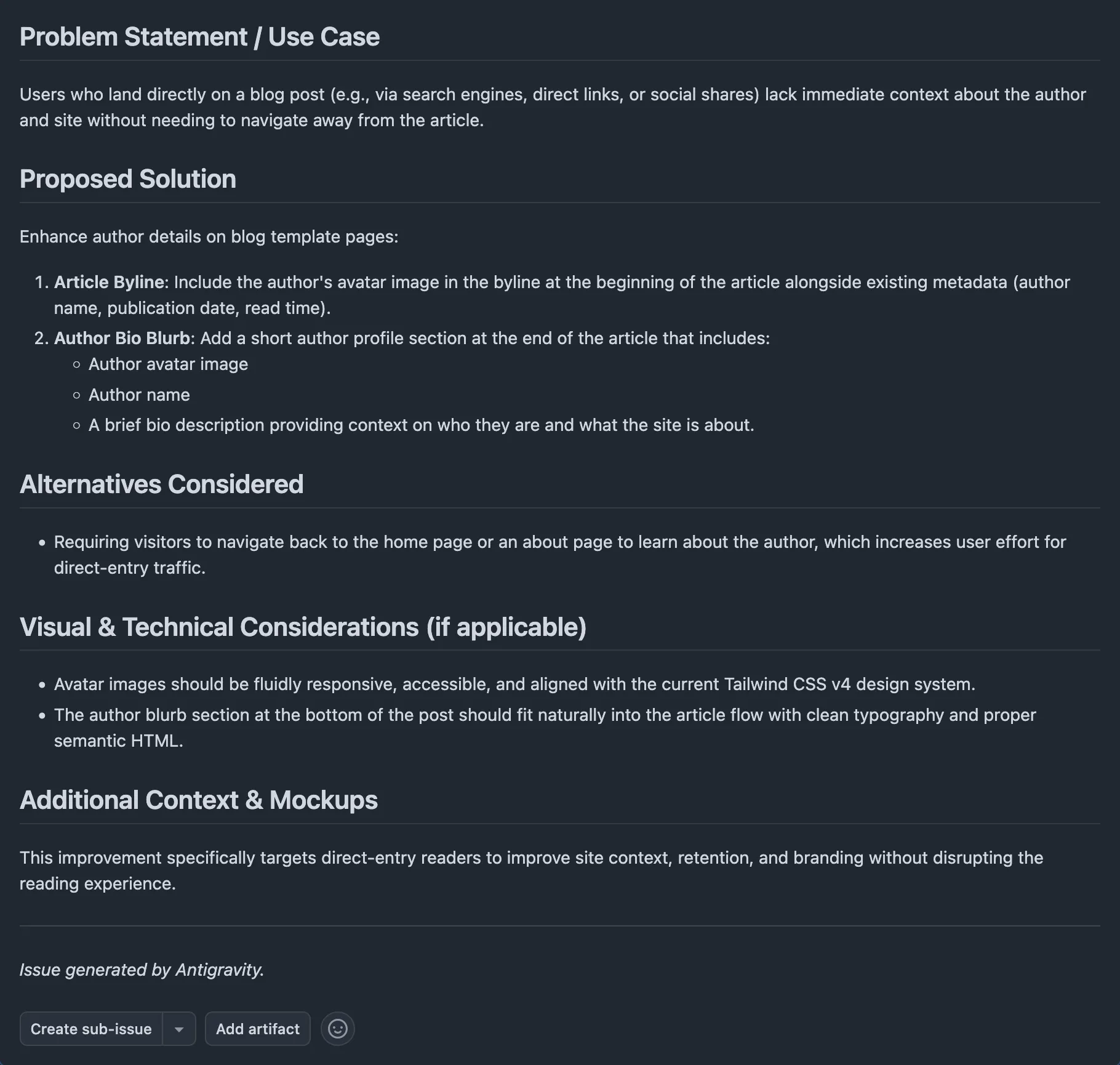
Create Issue
This is where the entire process starts, though issue creation is optional. I prefer it as the first step as it helps me focus on defining the problem up front rather than trying to jump right into development.
> /gh-create-issue create a feature on the blog template pages that enhances the author
details. The byline at the beginning of the article should include the author's avatar.
Additionally, at the end of the article there should be a short blurb about the author
that includes their avatar, name, and a brief description of who they are. This is so
that users who land directly on an article have some context about the site/author
without needing to navigate.
The resulting output will be a GitHub issue that can then be referenced as part of the Select Issue step.
Select Issue
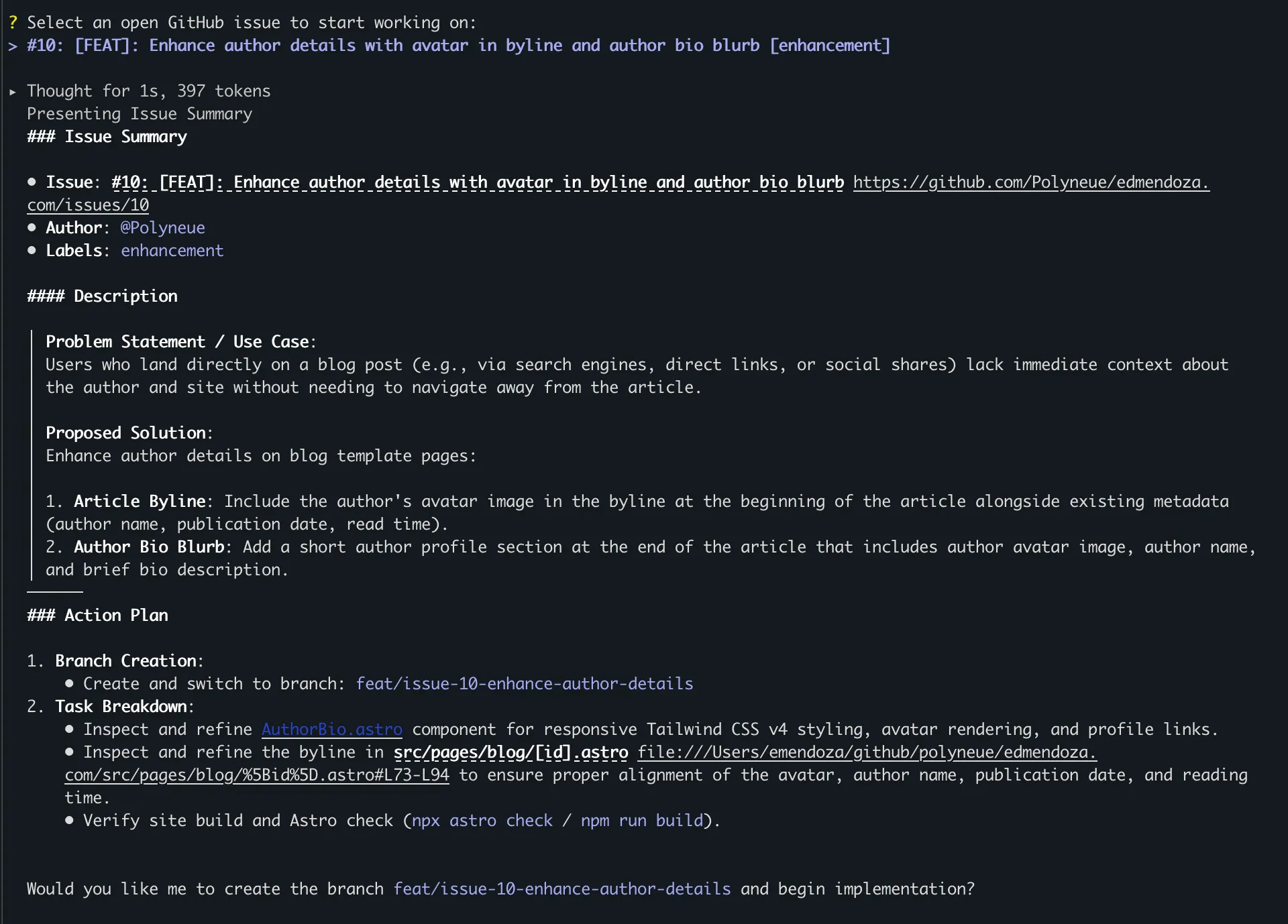
Next we will find the issue that we want the agent to begin working on.
> /gh-select-issueThis will list the issues, load the selected issue’s details into context, and begin the agent’s work of resolving the issue.
Create Pull Request
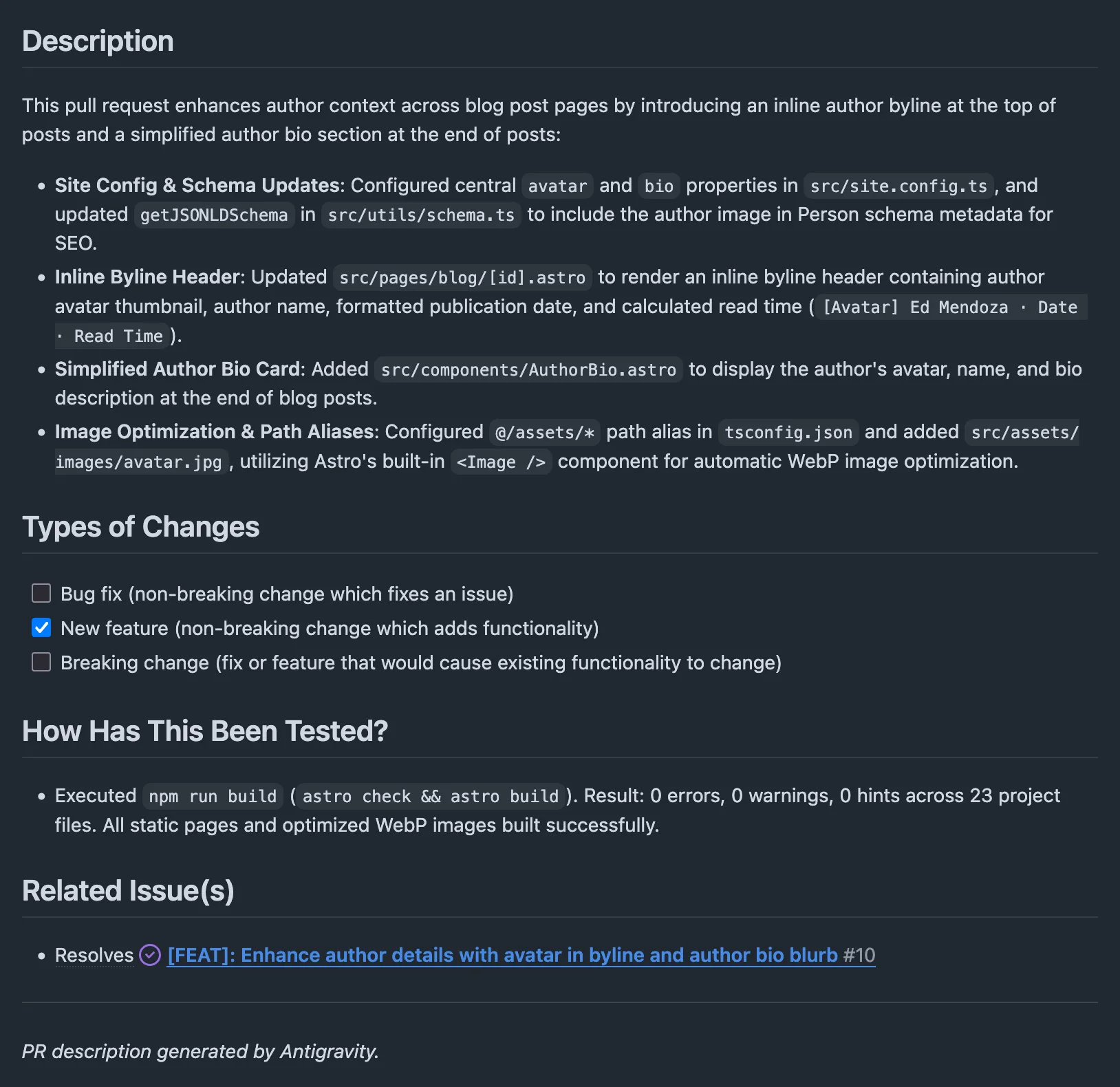
Once the coding work has been completed, the agent will commit the work to a branch and open a pull request.
> /gh-create-pull-request open against mainThis will result in a pull request that follows the repository’s defined pull request template and labeling standards.
Whenever the agent is using these skills to act as the user, it will always add a “Created by Agent Name” trailer to the end of comments and submissions for transparency.
Provide Pull Request Feedback
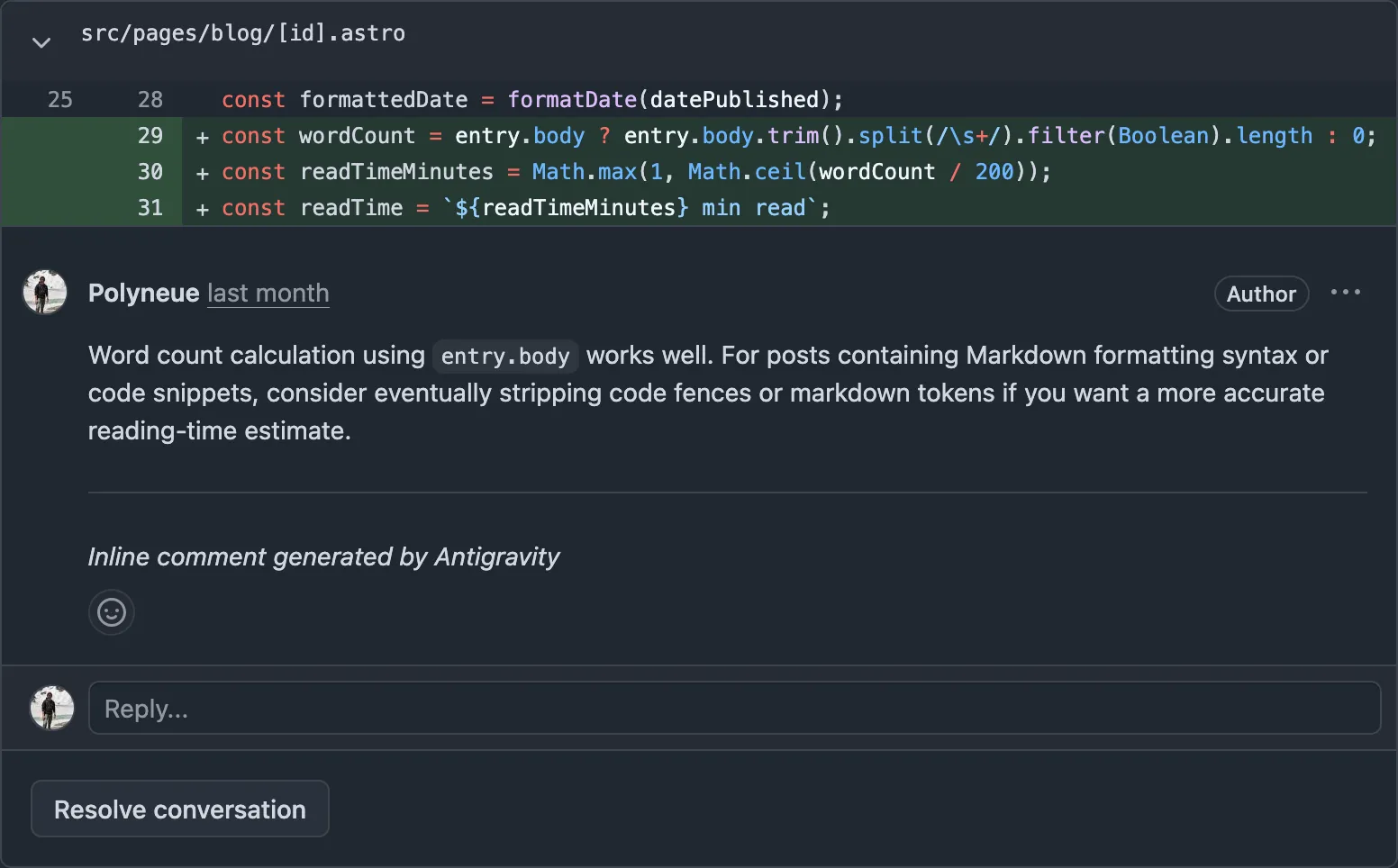
From a separate Antigravity CLI session, I invoke an agent to review the pull request that was generated. I’m also fond of pairing this with Addy Osmani’s code-review-and-quality skill.
Running review in a separate agent session eliminates the confirmation bias that occurs when an agent evaluates its own work.
> /gh-review-pull-request #15This will provide targeted feedback directly onto the pull request that the original agent can then address. I prefer having the record in GitHub so that I can reason about the decisions that were made during the development process if I ever need to.
Resolve Pull Request Feedback
Finally, returning to the original agent session, the agent pulls unresolved comments, prompts me for which ones to address, makes the code updates, and replies to the review thread with its reasoning.
> /gh-resolve-pull-request-feedback #10Takeaways
This way of working has been efficient for me for smaller projects but it is still a very hands-on approach to working with agents. To move this more towards a fully agentic workflow, I’ll be exploring how to remove some of the HITL gates and implement autonomous sub-agent loops for the code review stage.
Tags
- AI
- GitHub
- Agent Skills
- CLI